New Shopify Store Launch Checklist That Works
A practical shopify launch checklist from a fast bridal store build covering domain, shipping, variants, mobile tests and analytics before launch day.
 Selim Abdulsalam September 2026 7 MIN READ
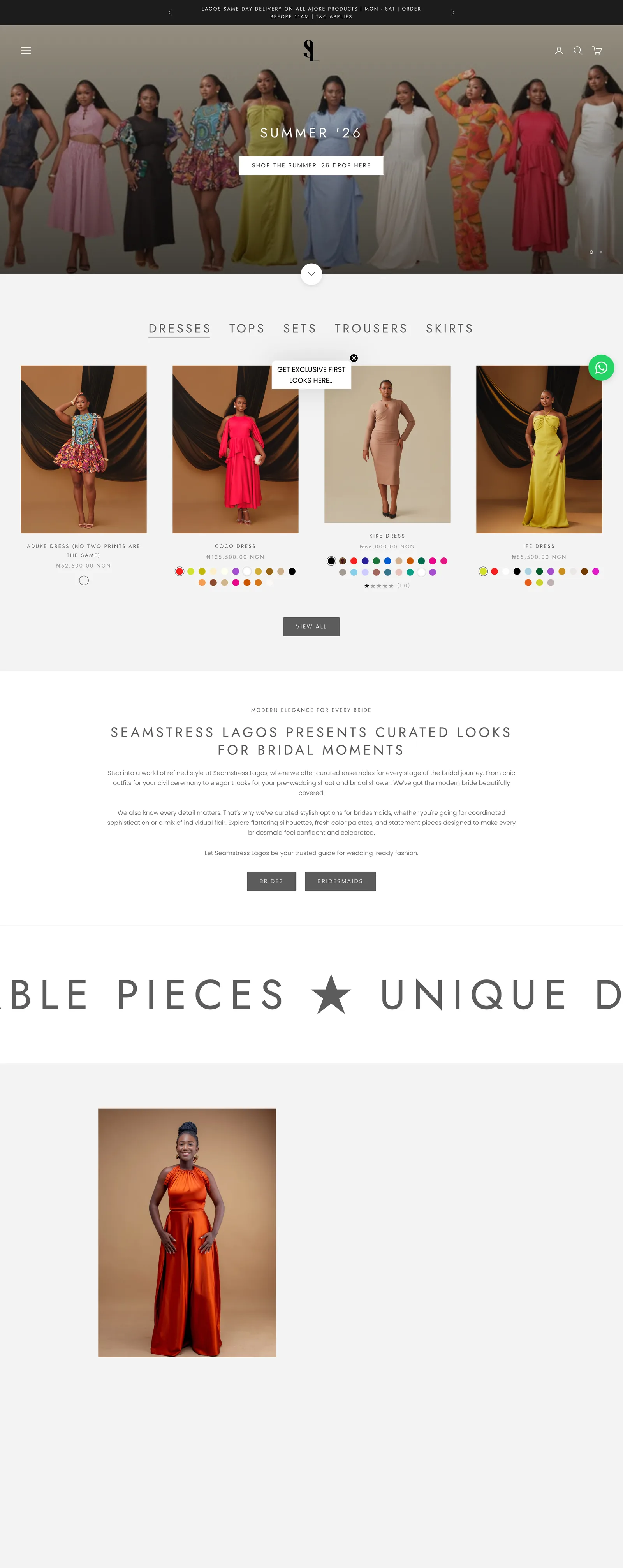
A shopify launch checklist that works is short on paper and strict in order: connect your domain, confirm checkout, set shipping coverage, clean variants, test on a phone, connect analytics, then announce. I learned this order on a fast bridal conversion build that created a standalone store from an earlier category lineup. You will launch calmer when each check has an owner and a yes or no answer.
The bridal store in this story sells occasion wear with Celebrations and Special Occasions collections, a Bridal Collection block, a SHOP THE LOOK row, a DISCOVER OUR STORY section, bestsellers, Instagram tiles, and a newsletter signup. The header pairs Search with a cart drawer trigger, the announcement bar rotates short slides, and the footer carries Size Guide, Shipping and Delivery, Refunds, Privacy, Booking Policy, Orders and Profile, plus About, Contact, FAQs, and Book Consultation links. Nothing here is exotic, and that is the point. Launch day goes well when ordinary blocks are checked in the right sequence. Nobody claps for a favicon until it is missing on launch morning.
Connect your domain and markets before anything public
Domain work comes first because every later test depends on the address customers will actually use. On this build we connected the custom domain, confirmed the primary domain customers should see, and kept two selling markets unnamed in our notes while we checked how each one displayed language, currency, and content. Shopify documents the mechanics in its guide to connecting a third-party domain and its guide to setting a primary domain, and both are worth reading before you touch DNS. You do not need to memorize them. You need to follow them once, slowly, with the domain login open beside the admin.
Our order was simple. Connect the domain and verify it resolves. Set the primary domain so all other addresses redirect to one canonical home. Open the storefront on a phone with fresh eyes and confirm the announcement bar, hero buttons, and footer links behave under that address. Then check each market view for language subfolder behavior, local display where allowed, and correct header and footer content. We kept market names out of shared notes. What matters is that each shopper lands on a readable, purchasable version of the store.
One dry lesson from this build: DNS patience beats launch adrenaline. Make the edit, note the time, and move to product checks while it settles.
Make products buyable before you polish anything
Product pages plus variants were the hardest part of this build, so they sit early in my launch order. Each bridal piece needed clear options for size and material, with different prices per variant where the catalog required it, plus fabric and care notes, a help message for uncertain shoppers, and a link to the shipping policy. The footer Size Guide backed up the fit questions. If you have lived through a catalog where two variants share a name but need different prices, you will understand why we tested every combination with a finger, not just a mouse. My variants with different prices guide walks through the structure we used, option by option.
Use a simple product sheet as your source of truth, and keep it vague in shared channels: style name, options, which variants carry different prices, which images belong where, and a done column. Do not paste sourcing details, internal costs, or delivery timelines into that sheet. The sheet is a coordination aid, not a diary. When the sheet says done, open the live product on mobile data and try to buy like a distracted shopper at a bus stop. Can you read the price block, find fabric and care, tap the size help, open the shipping policy link, add to cart, and open the cart drawer without pinching or going back? If any step stumbles, fix it before you touch the homepage slider.
Small custom code helped here in two quiet ways: scrollbar styling that kept long option lists tidy, and cart checks that stopped incomplete selections from reaching checkout. No code is shown in this post, and none is needed to copy the lesson. The lesson is behavioral: validate at the cart, kindly, before money enters the conversation.
Shape the homepage story and trust blocks next
Once products are buyable, earn the scroll. The bridal homepage opens with a hero that offers SHOP NOW and NEW ARRIVALS, then moves through Celebrations and Special Occasions collections, a SHOP THE LOOK moment, DISCOVER OUR STORY, OUR BESTSELLERS, a BRIDAL COLLECTION block, Instagram tiles under the store handle, and a newsletter signup before a full footer signed Built by Oasis. Each block answers one shopper question: what is new, what goes together, why this house, what do others love, where do I start for bridal, and where do I follow along. My homepage slider story guide breaks down how we sequenced those slides and sections so the page reads like a short visit, not a storage walk.
Check trust blocks with the same care you gave products. Open every footer link and read it as a first-time buyer would. Confirm the newsletter signup confirms clearly and the Instagram tiles load without dragging the page. You can see how these blocks sit together in my selected storefront work, which shows the same story-to-proof-to-signup rhythm across builds. Shoppers rarely announce that these blocks reassured them. They simply stay longer and ask fewer worried questions.
Do not chase cleverness in this pass. One hero message, one next step, and honest collection names will outperform three rotating slogans every time.
Your shopify launch checklist in order
Here is the shopify launch checklist sequence I now reuse, in the order I run it. Read it top to bottom and do not skip ahead when you feel brave.
- Domain and primary address. Connect the domain, set the primary address, and confirm redirects land where shoppers expect on desktop and mobile.
- Markets and display. Open each market view, confirm language, currency display where allowed, and correct header, footer, and checkout wording, keeping market names out of shared notes.
- Checkout readiness. Confirm the third-party checkout path opens cleanly, with no market mapping claims you have not tested yourself.
- Shipping coverage. Confirm general shipping setup is present and the Shipping and Delivery page matches what checkout offers, with no private timelines copied anywhere public.
- Products and variants. Test every option combination for correct price display, fabric and care visibility, help message, size help, image order, and cart behavior.
- Story and trust blocks. Confirm announcement slides, hero buttons, collections, story, bestsellers, bridal block, Instagram tiles, newsletter signup, and every footer link.
- Mobile and search. Walk the homepage, a collection, a product, search, and cart on a real phone over mobile data, then confirm Search Console and analytics wiring is collecting.
- Announce. Only now share the address, with the product sheet marked done and one person assigned to watch orders, messages, and the signup list on day one.
Can I launch before my catalog is complete?
Yes, when the smaller catalog is fully buyable. A tight set of products with clean variants, honest fabric notes, working size help, and tested cart behavior will serve you better than a large catalog where half the combinations misbehave. Hide or remove unfinished pieces rather than leaving them visible with missing images or placeholder text. Shoppers forgive a short collection. They do not forgive a broken add to cart on the one dress they loved.
How long should I test before announcing?
Give it at least one full calm pass plus one fresh-eyes pass on a different day. The first pass catches the obvious: domain, checkout, shipping coverage, variants, and links. The second pass catches the embarrassing: hero button on small screens, announcement slide typos, newsletter confirmation, and footer links that open the wrong page. When both passes are clean, announce. If you find new issues in the second pass, fix them and run one more short pass over the touched areas only.
If you want this order applied to your own store, get in touch with your address, your market count, and your product sheet status, and we will take it from there.